
ClipTranscribr: Free YouTube Subtitle & Caption Downloader | Best Transcribr.io Alternative
ClipTranscribr is a free YouTube subtitle and caption downloader that lets you export YouTube captions to subtitle files in seconds. Simply paste a YouTube link and download transcripts in professional formats like SRT, VTT, TXT, and CSV. No signup required for single videos. If you need a simple YouTube transcript downloader, ClipTranscribr is the best alternative to expensive transcription services like Transcribr.io.
- SSL Secured
- No Registration Required
- Fast Download
How to Export YouTube Captions to Subtitle Files (Free & Cheap Options)
Free Single Video Download
Export YouTube captions to subtitle files free. No signup required
- 1Copy any YouTube video link
From youtube.com or youtu.be
- 2Paste the link into ClipTranscribr
Use the tool above
- 3Choose your subtitle format
SRT, VTT, or TXT
- 4Download transcript instantly
Ready to use in seconds
This free YouTube subtitle downloader works with any public YouTube video that has captions available.
Bulk Subtitle Downloads
From channels & playlists
For users who need to download YouTube transcripts from entire channels or playlists:
Download up to 25 video transcripts in bulk
Perfect for light users
Export 350 video captions/month
Most popular for creators
Bulk download 1,500 transcripts/month
For agencies & researchers
All plans support exporting YouTube captions to subtitle files in SRT, VTT, TXT, and CSV formats.
Key Features
- Free YouTube subtitle downloader for single videos (no registration)
- Export YouTube captions in SRT, VTT, TXT, and CSV formats
- Bulk download YouTube transcripts from entire channels and playlists
- Simple process: paste link, download transcript
- 94% cheaper than Transcribr.io for bulk subtitle extraction ($1.99-$4.99 vs $80/month)
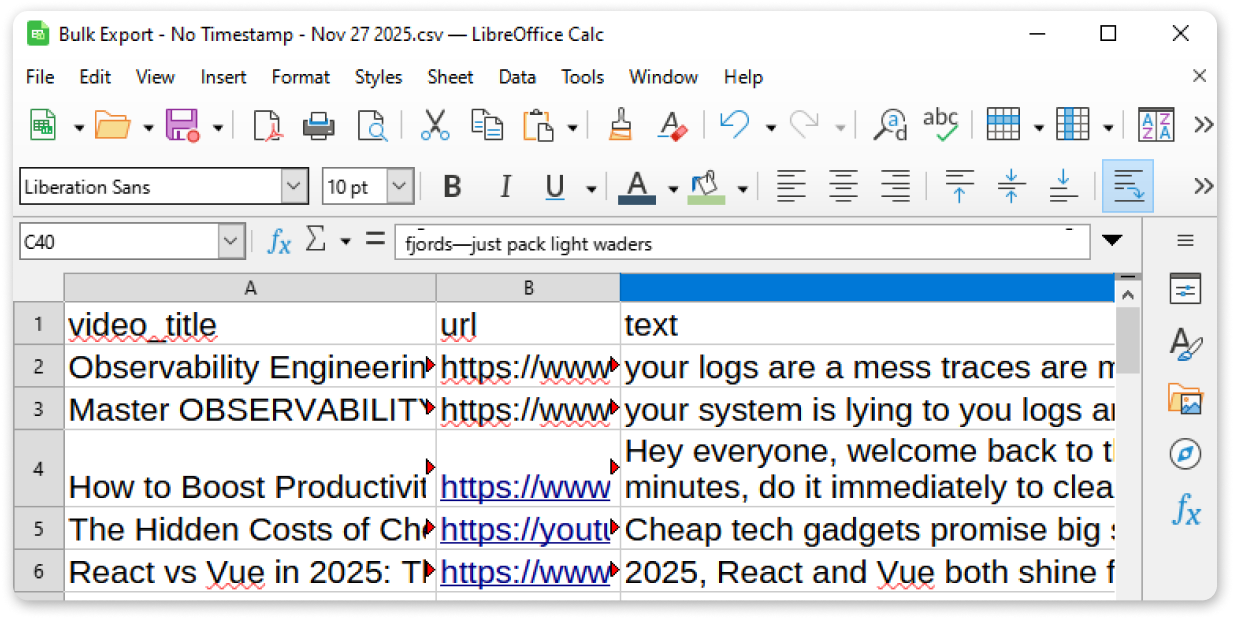
Best Automatic Transcription Services Like Transcribr.io
Transcribr.io is an excellent choice if you want to chat with YouTube channels using AI, analyze content, and ask questions across thousands of videos.
ClipTranscribr is for people who say: "I don't need AI. I just want to download YouTube subtitles in bulk, without spending $80+ per month."
Feature & Pricing Comparison
| Feature | ClipTranscribr | Transcribr.io |
|---|---|---|
| Core focus | YouTube subtitle & caption downloads | AI chat + insights from YouTube + exports |
| Free subtitle download | ✅ Yes (single videos, no signup) | ✅ Yes (single videos) |
| Download from YouTube link | ✅ Paste link → download | ✅ Yes |
| AI chat with channels | Not included | Included: chat with channels, playlists, videos |
| Bulk channel/playlist exports | Yes (tiered usage) | Yes (unlimited) |
| Caption/subtitle formats | SRT, VTT, TXT, CSV | TXT, JSON, CSV, SRT, VTT, Markdown |
| Typical export volume | Tens to low hundreds of videos/month | Designed for heavy AI + export workflows |
| Entry bulk plan | Trial: $1.99/month (25 bulk exports) | Unlimited: $80/month |
| Most practical plan | Starter: $4.99/month (350 bulk exports) | Unlimited: $80/month |
| Best for | Users needing affordable YouTube subtitle downloads | Users needing AI-powered analysis + chat |
This makes ClipTranscribr a lightweight, specialist alternative to Transcribr.io if your priority is low-cost YouTube caption extraction, not AI.
Pricing: Stop Paying AI Prices for Simple Subtitle Downloads
Transcribr.io Pricing
Built around AI chat plus exports:
$80/month
or $19.99/week
ClipTranscribr Pricing
Built around realistic export needs:
Free: $0
Single video subtitle downloads, no signup
Trial: $1.99/month
Up to 25 bulk caption exports/month
Starter: $4.99/month ⭐
Up to 350 bulk subtitle exports/month
💰 Save up to 94% on YouTube Subtitle Downloads
If you mainly use Transcribr.io as a YouTube transcript downloader rather than an AI assistant, switching to ClipTranscribr can cut your monthly cost by 90%+ in many cases while preserving your bulk export workflow.
When Transcribr.io Is the Better Choice
You should probably stick with Transcribr.io if:
- You actively use AI chat to ask questions across channels, playlists, and hundreds of videos.
- You rely on AI summaries, insights, and timestamped answers for research, study, or content analysis.
- You need an all-in-one AI workspace around YouTube content and the price is justified by that workflow.
If AI is central to how you work with YouTube content, ClipTranscribr does less than Transcribr.io.
YouTube Transcript Downloader: Simple Process - Give Link, Download Transcript
ClipTranscribr is the best choice if you need:
Simple Link-to-Download Workflow
- ✓Paste any YouTube video link and download transcripts in seconds
- ✓No complex setup, API keys, or technical knowledge required
- ✓Works as a free YouTube caption downloader for single videos
Professional Subtitle Formats
- ✓Export YouTube captions to SRT (for Premiere Pro, DaVinci Resolve, Final Cut)
- ✓Download subtitles in VTT (for web players and accessibility)
- ✓Export as TXT or CSV for analysis, research, or translation workflows
Bulk Caption & Subtitle Extraction
- ✓Download YouTube transcripts from entire channels with hundreds of videos
- ✓Bulk export YouTube captions from playlists for content research
- ✓Process 50-video playlists in ~2 minutes
Affordable Alternative to Transcribr.io
- ✓Free for single videos (no subscription needed)
- ✓Bulk plans start at $1.99/month vs Transcribr.io's $80/month
- ✓No AI features you don't need. Just fast, reliable subtitle downloads
Best Alternatives to Transcribr.io for Transcription Tools
When looking for tools to download YouTube subtitles, you'll find several options:
AI Transcription Services
Transcribr.io, Otter.ai, Rev
Focus: AI chat, meeting transcription, content analysis
Price: $50-$100+/month
Best for: Users who need AI features beyond subtitle extraction
Browser Extensions
Various Chrome/Firefox add-ons
Focus: Single video downloads while browsing
Limitations: Manual one-by-one downloads, no bulk export, inconsistent formats
YouTube Subtitle APIs
Developer tools
Focus: Technical setup requiring coding
Limitations: Requires coding knowledge, API key management, rate limits
ClipTranscribr ⭐
Specialist YouTube Subtitle Downloader
Focus: Fast bulk YouTube caption downloads with professional formats
Price: Free for single videos, $1.99-$14.99/month for bulk
Best for: Video editors, researchers, content creators who need to download YouTube transcripts at scale
If you need to export YouTube captions to subtitle files regularly, ClipTranscribr combines the simplicity of browser tools with the power of bulk extraction without the overhead of AI transcription services.
Tools to Download YouTube Transcripts from a Link: ClipTranscribr Speed
A 50-video playlist typically exports in around 2 minutes
No complex setup, API keys, or technical knowledge
No hard limits on playlist or channel size
Try Free YouTube Subtitle Downloader
Export a single YouTube video transcript with no signup required. When you're ready for bulk subtitle downloads, plans start from just $1.99/month.
YouTube Subtitle Download Pricing
Simple, transparent pricing for downloading YouTube captions at any scale
Free vs Paid: When to Upgrade
Free YouTube Subtitle Downloader
- • Perfect for occasional single video transcript downloads
- • Export captions to SRT, VTT, or TXT
- • No limits on single video downloads
- • No signup required
Bulk Caption Export Plans
- • Download transcripts from entire playlists and channels
- • Additional CSV format for data analysis
- • Save hours vs downloading videos one by one
- • Starting at $1.99/month
Free
(No Signup Required)
Get Started Free- Export single YouTube videos to SRT
- TXT, SRT, VTT formats available
- Instant download
Trial
Perfect for individual creators
Subscribe Now- 25 bulk exports per month
- All formats available (TXT, SRT, VTT, CSV)
- Bulk export from playlists and channels
- Email support
Starter
Ideal for video editors managing client projects
Subscribe Now- 350 bulk exports per month
- Everything in Trial
Pro
Great for agencies and researchers
Subscribe Now- 1500 bulk exports per month
- Everything in Starter