
YouTube Transcript Bulk Export- Extract Entire Playlists & Channels in Minutes
Stop exporting YouTube transcripts one video at a time. ClipTranscribr's bulk export feature extracts transcripts from entire playlists, channels, or video collections in minutes, not hours. Paste a YouTube playlist or channel URL, select your format (TXT, SRT, VTT, or CSV), and download your transcripts in your chosen format. Whether you're analyzing 50 videos or 1500, bulk export handles it automatically.
Try single video exports for free. Bulk exports (playlists or channels) require a paid subscription.
Why Bulk Export Matters
Manual Export is Painfully Slow. Most transcript tools force you to export one video at a time. For a 100 video playlist, that means:
Opening 100 tabs
Pasting 100 URLs
Clicking “export“ 100 times
Downloading 100 files
Organizing 100 files manually
Total time: 5-10 hours
Bulk Export is Automatic. With ClipTranscribr, the same 100-video playlist takes:
Paste 1 URL
Click “export“
Wait 2-3 minutes
Download 1 ZIP file with all 100 transcripts organized
Total time: 3 minutesYou save 5-10 hours per project.
Who Needs Bulk Transcript Export?
Content Creators Repurposing at Scale
If you're converting your entire YouTube channel into blog posts, you need every video transcript at once. Export your entire channel in one bulk operation, then batch-process content creation.
Researchers Analyzing Video Data
Academic researchers studying YouTube content need transcripts from hundreds of videos. Bulk export lets you download entire channels or playlists for sentiment analysis, keyword research, or discourse studies.
Video Editors Building Subtitle Libraries
Agencies managing multiple client channels need subtitle files for every video. Bulk export from client channels, create SRT files for all videos, and build a subtitle library in minutes.
SEO Professionals Doing Competitor Research
Analyze competitor video content at scale. Export transcripts from competitor channels, identify keyword patterns, and understand their content strategy.
Podcasters Creating Show Notes
If you publish your podcast on YouTube, bulk export lets you grab transcripts for every episode at once. Turn them into show notes, blog posts, or newsletter content.
Educators Archiving Lecture Content
Download transcripts from entire course playlists. Students get searchable text versions of every lecture for studying and accessibility.
How Bulk Export Works
Exporting YouTube videos in bulk is simple and takes just 4 easy steps. No technical knowledge required.
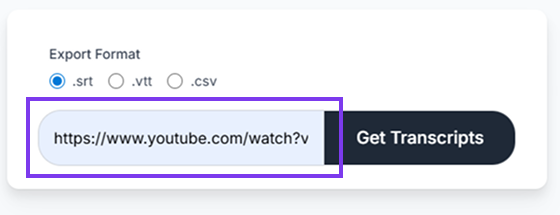
Paste a Playlist or Channel URL
Copy the URL of any public YouTube playlist or channel. ClipTranscribr automatically detects how many videos it contains. Example URLs:
Playlist: youtube.com/watch?v=Ng...&list=PL...
Channel: youtube.com/c/ChannelName OR youtube.com/@username
Choose Your Format
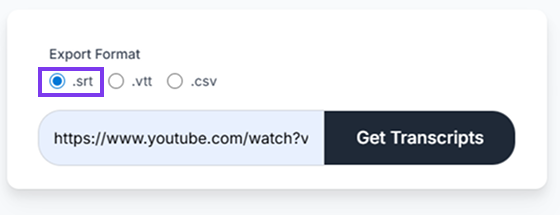
Select SRT, VTT, or CSV. For CSV, enable or disable timestamps based on your needs.
Wait for Processing
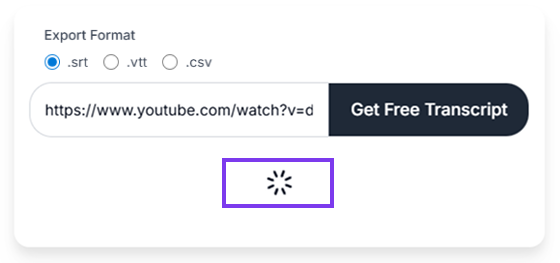
ClipTranscribr extracts transcripts from every video in the playlist or channel. You'll see a progress indicator. Processing times:
50-video playlist: ~1.5 minutes
100-video playlist: ~2.5 minutes
300-video playlist: ~3.5 minutes
Download Your Files
Once processing completes, download a single ZIP file if SRT or VTT was chosen, or a CSV file if CSV format was selected.
Bulk Export vs Manual Export: Time Savings
| Videos | Manual Time (Est.) | Bulk Export Time | Time Saved |
|---|---|---|---|
| 10 videos | 30 minutes | 30 seconds | 29.5 minutes |
| 50 videos | 2.5 hours | 1.5 minutes | ~2.5 hours |
| 100 videos | 7-10 hours | 2.5 minutes | ~7-10 hours |
| 300 videos | 15 hours | 4 minutes | ~15 hours |
Bottom line: Bulk export can save 10-15 hours per project depending on scale.
Bulk Export Formats: What You Can Extract
SRT Format (Subtitles)
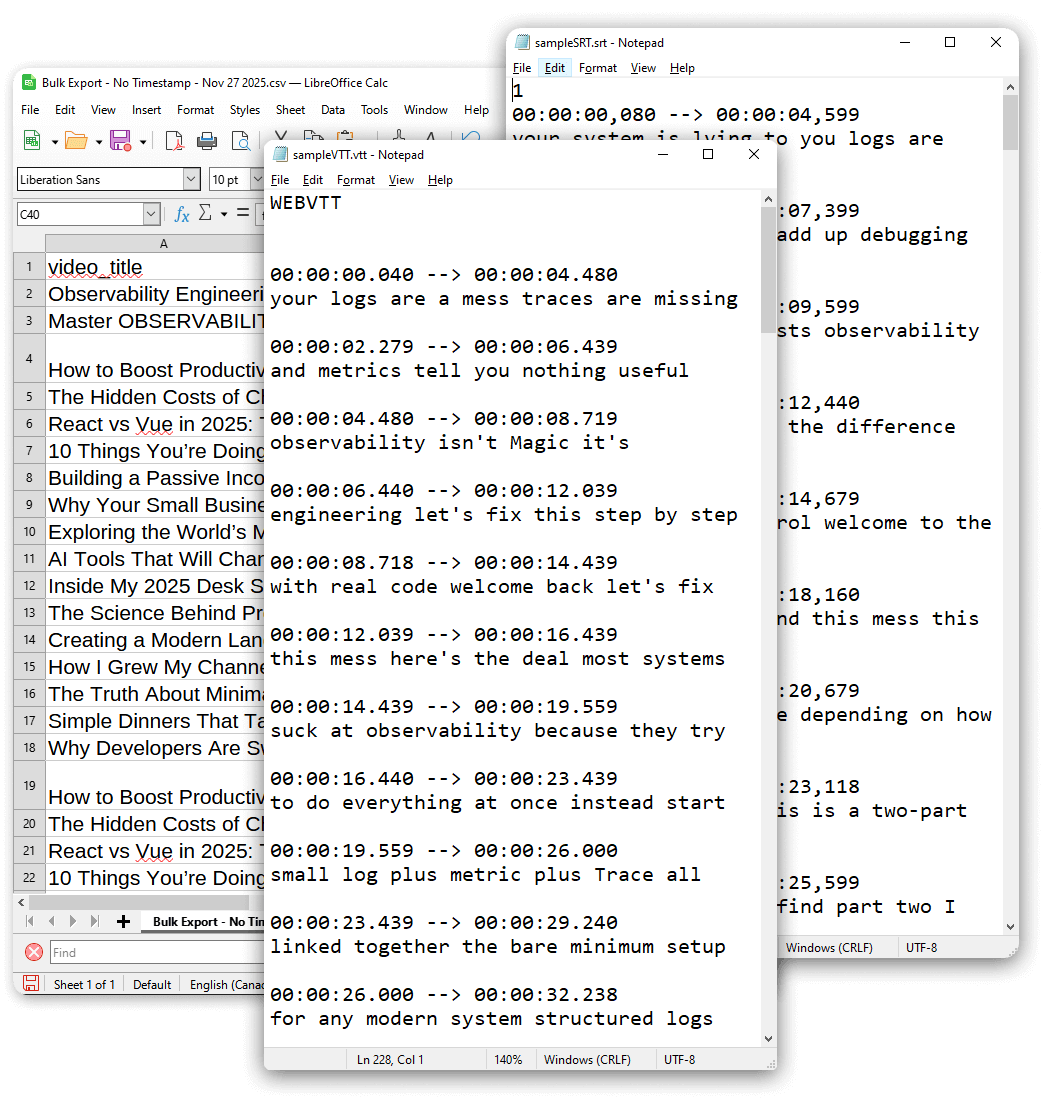
Export every video transcript as an SRT subtitle file. Import directly into Premiere Pro, Final Cut, or DaVinci Resolve for batch subtitle creation.
VTT Format (Web Captions)
WebVTT files are the standard format for synchronized text tracks (subtitles or captions) in HTML5 video. Ideal if you're embedding videos on websites and need captions for every video in your library.
CSV Format (Data Analysis)
Transcripts organized in spreadsheet format with start time and text columns. Perfect for researchers analyzing video content at scale.
Use Cases for Bulk SRT Export
Whether you're managing a content library, creating educational materials, or repurposing video content, bulk export streamlines your workflow.
Use Case: Repurposing a 100-Video YouTube Channel
Scenario: You have 100 YouTube videos and want to turn them into blog posts.
Without bulk export:
- Open each video individually
- Export transcript one at a time
- Download 100 files
- Organize files manually
- Convert each transcript to blog post format
With bulk export:
- Paste channel URL into ClipTranscribr
- Select an export format
- Download single file with all 100 transcripts
- Start your batch processing work
You save 10+ hours and can repurpose your entire channel in a single afternoon.
Use Case: Academic Research on 500 Videos
Scenario: You're a researcher analyzing political speech patterns across 500 YouTube videos.
Without bulk export:
- Manually open and convert 300 transcripts
- Download 300 individual SRT files
- Organize all 300 files by topic
- Manually import files into analysis software
- Run sentiment analysis
With bulk export:
- Paste the playlist URL into ClipTranscribr
- Export all 300 transcripts in CSV format (~4 minutes)
- Import the single CSV file directly into R, Python, or Excel
- Run analysis immediately
You eliminate ~15 hours of manual work and start analyzing data the same day.
Technical Requirements for Bulk Export
Videos Must Be Public
YouTube's API only allows transcript extraction from public videos. Private or unlisted videos won't work.
Videos Must Have Captions
ClipTranscribr extracts existing transcripts (auto-generated or manually uploaded). If a video has no captions, it's skipped in bulk export.
No Shortened URLs
Use full YouTube URLs:
- Supported: youtube.com/playlist?list=PLxxx
- Not supported yet: youtu.be/xxxxx
Supported Languages
All languages that YouTube supports for auto-captions. ClipTranscribr extracts whatever language YouTube provides.
Simple, Transparent Pricing
Our simple pricing plans give you exactly the SRT conversion access you need. Whether you require occasional YouTube video transcripts or bulk SRT downloads from entire channels and playlists, ClipTranscribr has the perfect plan. Start right away, no signup is required for free individual SRT files. Enjoy seamless upgrades and straightforward access to fast, reliable YouTube transcript to SRT conversion, with no hidden fees.
Free
(No Signup Required)
Get Started Free- Single video exports only
- TXT, SRT, VTT formats available
- No bulk export capability
Trial
Perfect for individual creators
Subscribe Now- 25 bulk exports per month
- All formats available (TXT, SRT, VTT, CSV)
- Bulk export from playlists and channels
- Email support
Starter
Ideal for video editors managing client projects
Subscribe Now- 350 bulk exports per month
- Everything in Trial
Pro
Great for agencies and researchers
Subscribe Now- 1500 bulk exports per month
- Everything in Starter
Frequently Asked Questions
Start Bulk Exporting Youtube Transcripts Now
Export YouTube transcripts in your prefered format. No complicated software, just paste a URL and download.